
Microservices with Dapr #12: Blazor SPA + BFF service
In this post we will focus on exposing part of the distributed system to a SPA frontend. Let's see how it can be done with Blazor WebAssembly and backend-for-frontend (BFF) pattern.

To continue this Dapr-themed POC journey with another functional extension, we need to rearrange things a bit and make some room for the user activities. Up until now in this series, we’ve been fully focused on the event-driven flow of transactions between different types of accounts, not mentioning any kind of authorization or access control along the way.
After all the planned changes are made, the system could be described with following diagram:
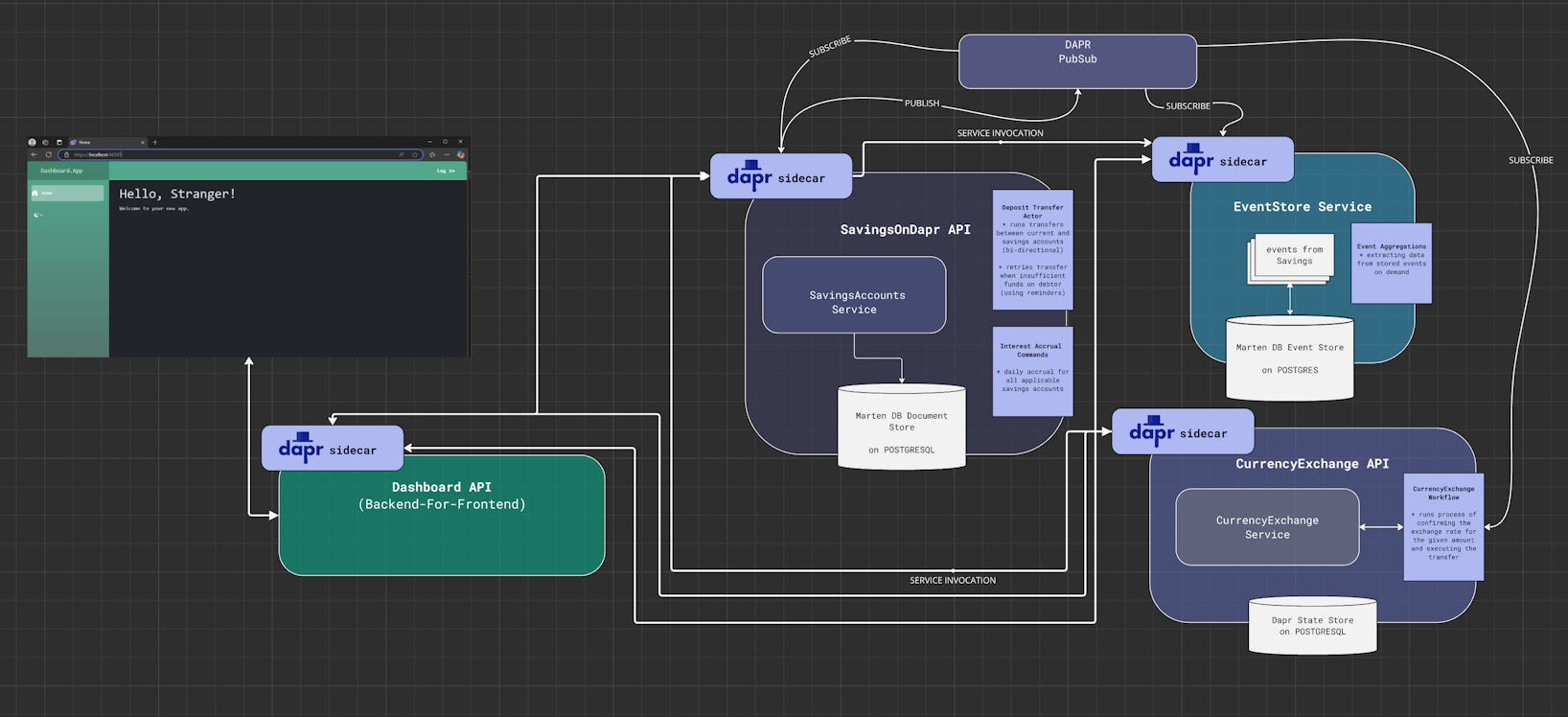
Adding Dashboard.Api service (BFF)
First of all, we need to add another REST API service into our system that would act as a proxy between all the other services and user-facing Single-Page Application that is about to be added to the mix. Below is how it looks like in VS Code Bicep Visualizer:
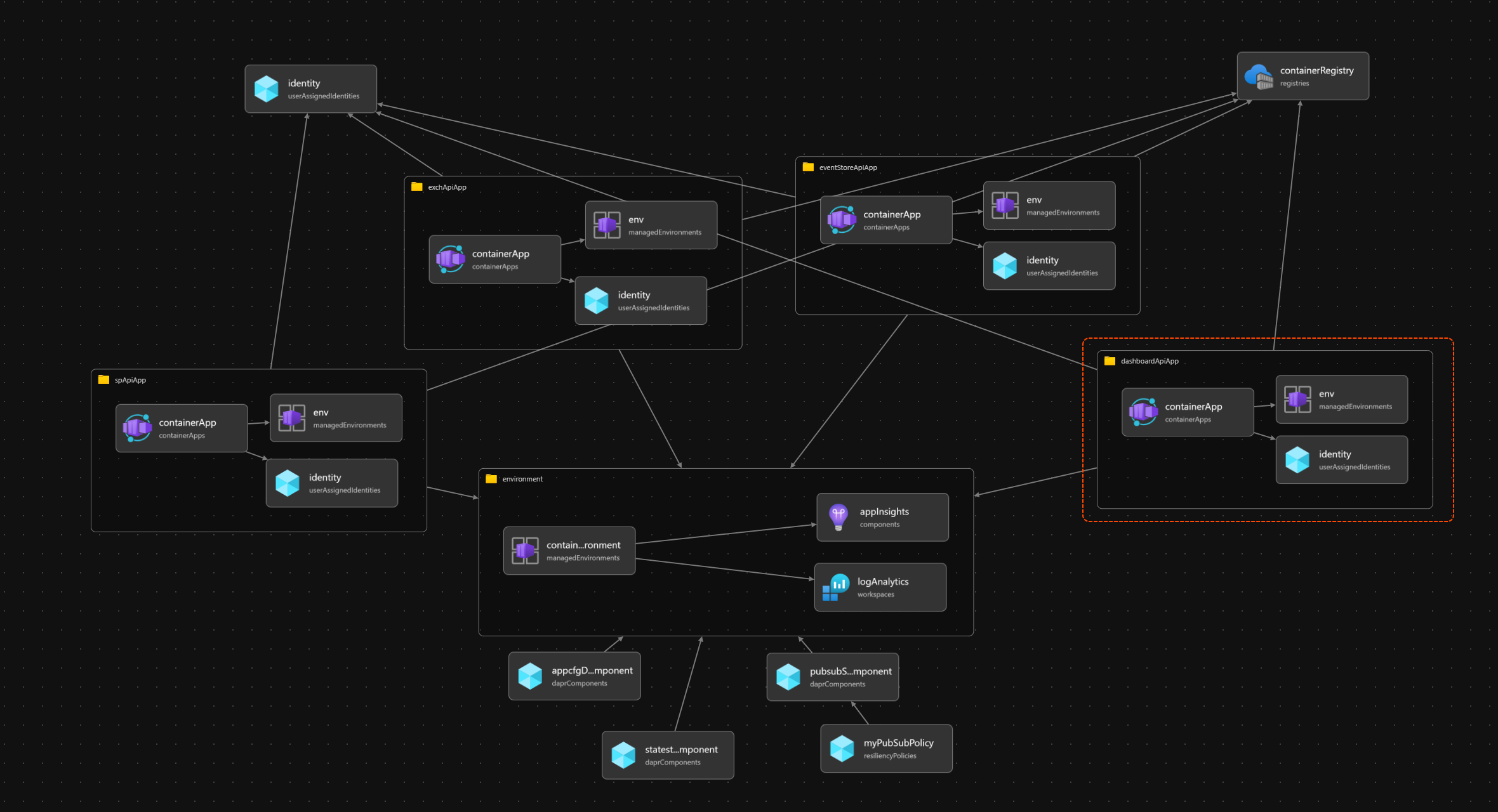
This newly added module will be yet another usage of the container-app template which consists of a Docker image bundled with a Dapr sidecar. The one important change worth mentioning is that from now on Dashboard.Api will be the only service in the ACA environment with “external ingress” enabled:
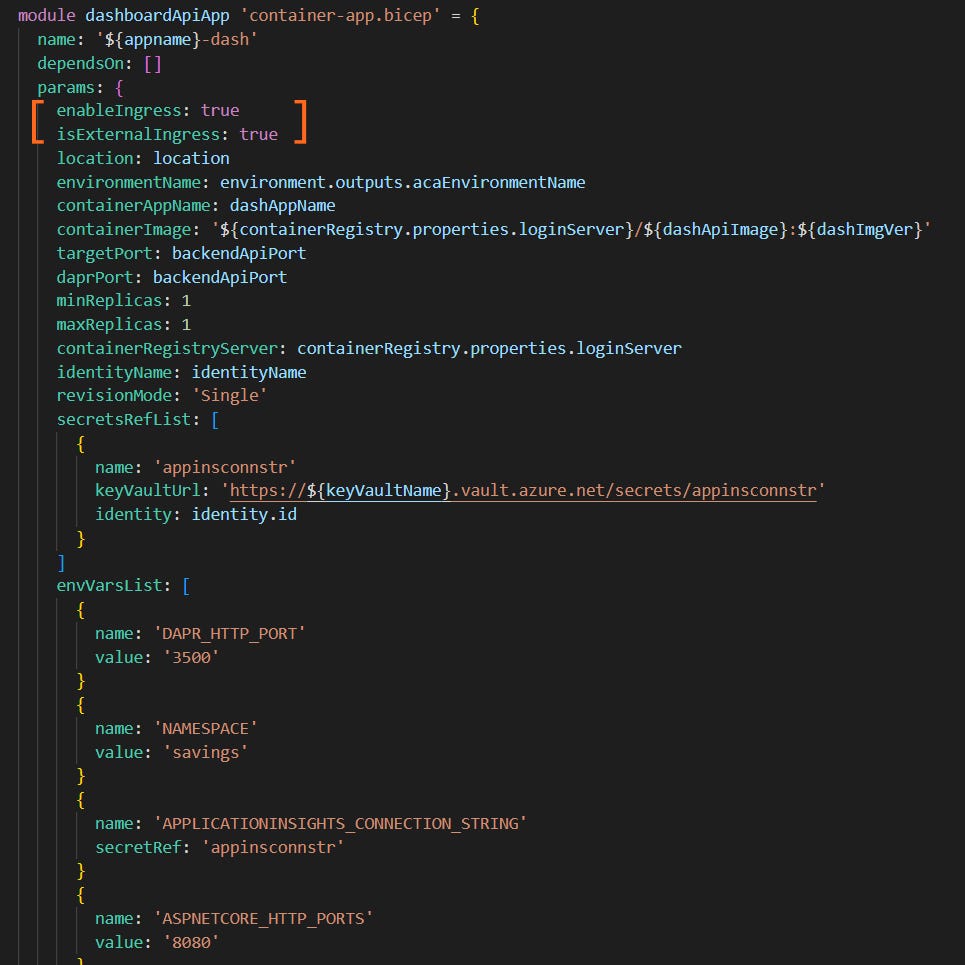
All the other services with external ingress set to false will display following error page when trying to access their auto-generated Application Urls:

…and that’s all according to the plan :)
Adding user-focused features
I’m not planning to make a huge revolution in the codebase at this stage as my initial idea was showcasing Dapr building-blocks. But it would make sense to assign users to the bank accounts to have some basis for a simple authorization logic. It will be achieved by using existing abstractions (AggregateRoot, StateEntryRepository, AggregateRootFactory etc):
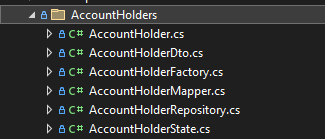
AccountHolderState could looks as follows:
public record AccountHolderState : IAggregateStateEntry
{
    public required string Key { get; init; }

    public string? Username { get; init; } = default;

    public DateTime? AddedOn { get; init; }

    public required string ExternalRef { get; init; }

    public ICollection<string> AccountIds { get; init; } = new List<string>();

    public bool HasUnpublishedEvents { get; set; } = false;

    public ICollection<object>? UnpublishedEvents { get; set; } = default;

}
…with AggregateRoot implementation of AccountHolder:
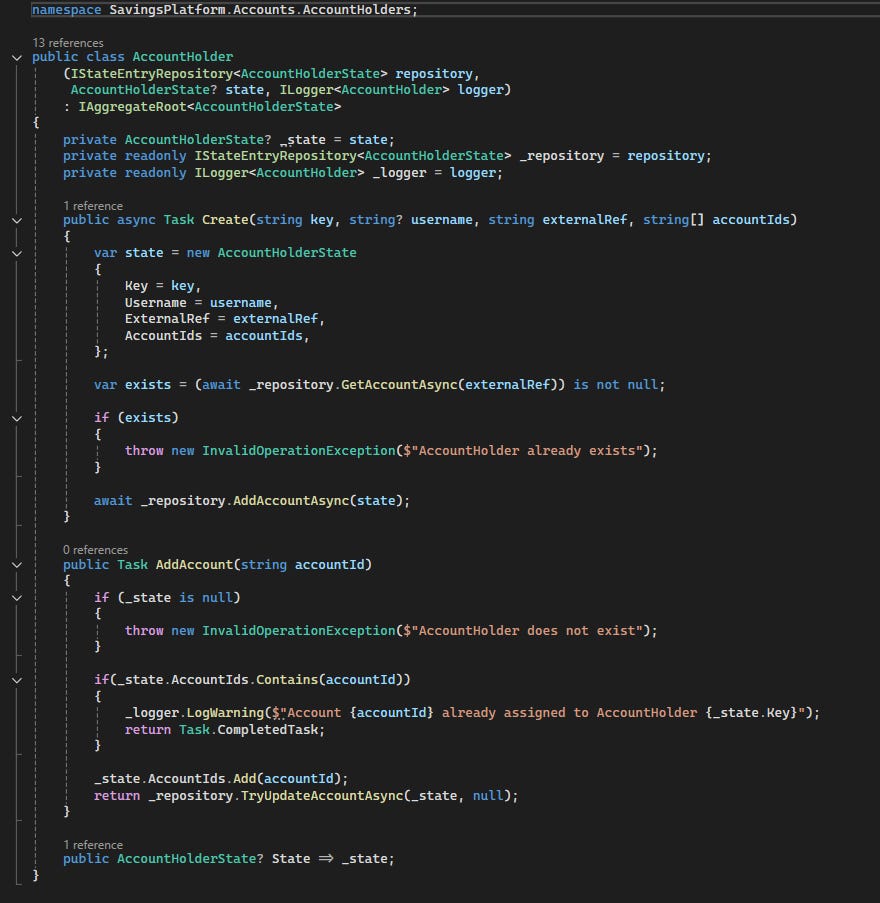
After adding all the classes mentioned above to SavingsOnDapr.Api with some endpoints that enable initial setup, we want to make use of this data in Dashboard.Api:
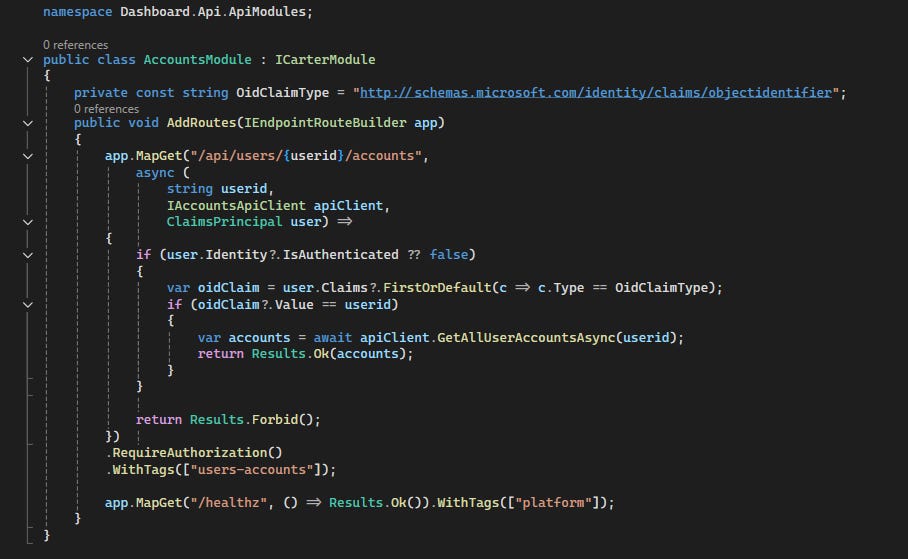
By using MS Entra ID’s users directly, we can enforce such a basic authorization rule: user can access only accounts assigned to their userId (i.e. its objectidentifier claim). The main challenge here is in configuring auth in such a way that BFF API can see claims of a user signed in to the frontend app.
Configuring Entra ID Auth between Blazor and Web Api
On the BFF API side, the configuration is quite simple:
var builder = WebApplication.CreateBuilder(args);

builder.Services.AddMicrosoftIdentityWebApiAuthentication(
                    builder.Configuration);
builder.Services.AddAuthorization();
Using the defaults of AddMicrosoftIdentityWebApiAuthentication extension method from Microsoft.Identity.Web package and setting the id values in AzureAd configuration section is all we need to do. Default behavior takes care of validating the JWT bearer token and ClaimsPrincipal (available for dependency injection into API endpoints methods) allows for additional authorization logic. We can also define authorization policies but in this case it’s easier to check it directly in the endpoint.
Since we are using MS Entra ID we need to create app registrations for both BFF and front-end app. For the BFF registration we are also going to add user_impersonation scope (in Expose an API section in Azure Portal).
Things get definitely more interesting on the front-end side (built with Blazor WebAssembly in our case)…
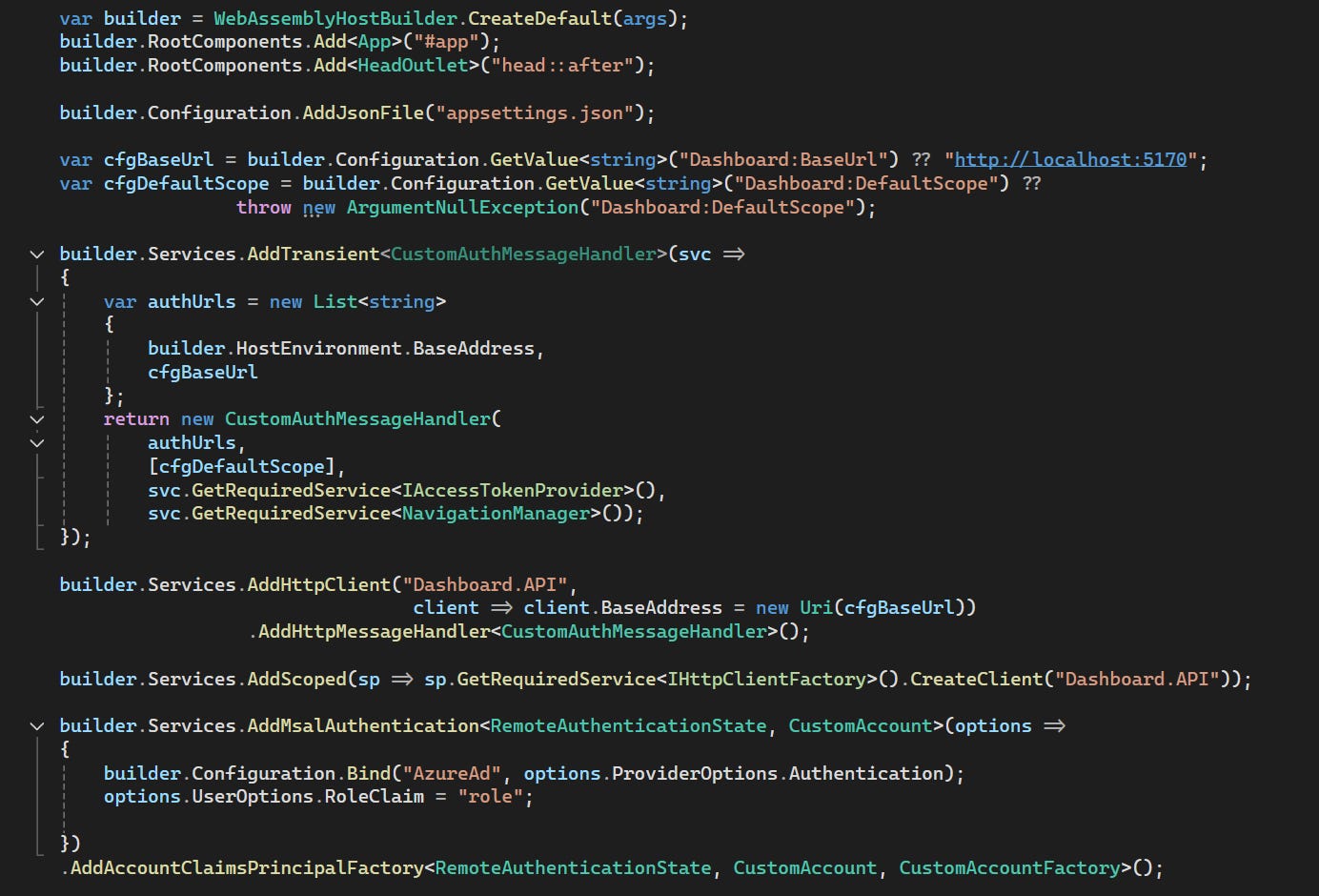
One thing is that we need to add base url of our API as an authorized url for a custom implementation of AuthorizationMessageHandler:
public class CustomAuthMessageHandler : AuthorizationMessageHandler
{
    public CustomAuthMessageHandler(IEnumerable<string> authUrls, IEnumerable<string> defaultScopes, IAccessTokenProvider provider,
        NavigationManager navigation)
        : base(provider, navigation)
    {
        ConfigureHandler(
            authorizedUrls: authUrls, scopes: defaultScopes);
    }
}
The other thing is that we are adding a default scope to access token for the BFF API (it should be in a format of api://{api-app-clientid}/user_impersonation).
Another customization is adding AccountClaimsPrincipalFactory:
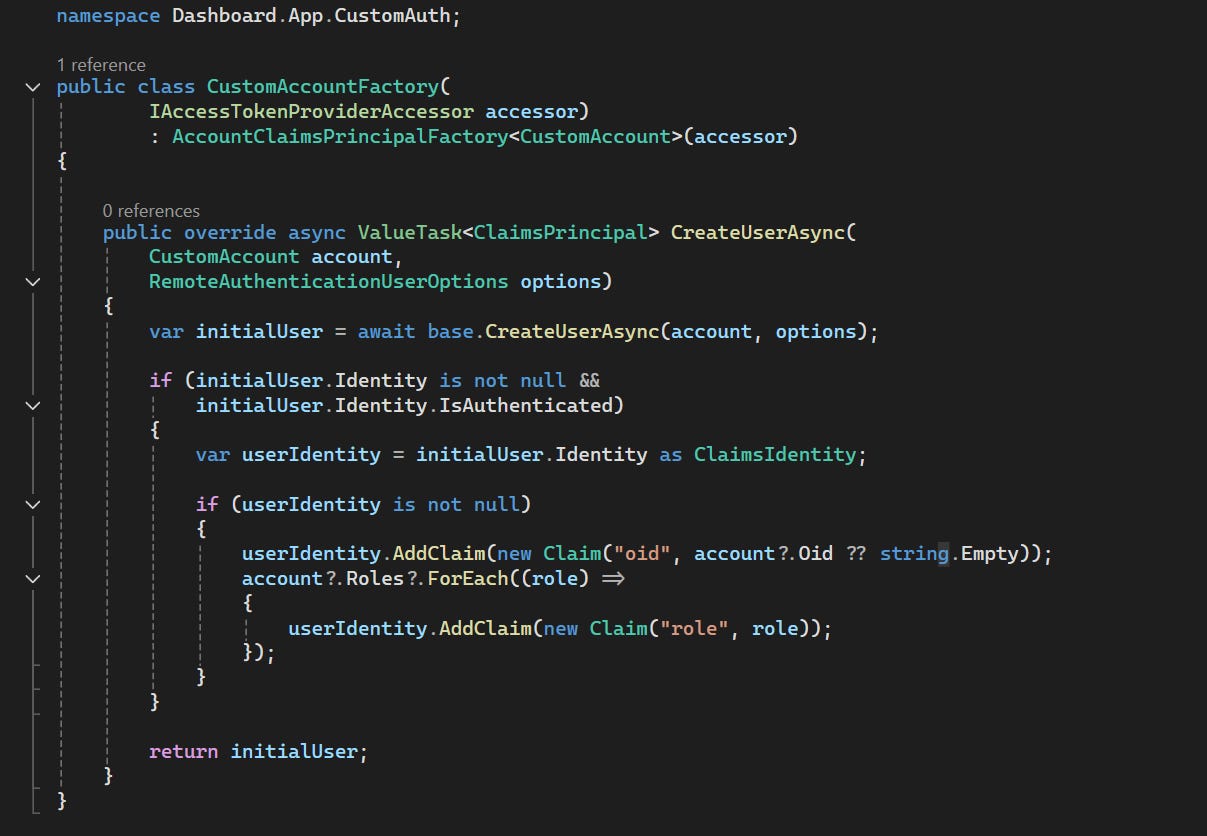
As you can see in the snippet above, it adds “oid” claim and unwraps roles which makes it easier to set following conditions in Blazor UI code:
<AuthorizeView Roles="Advanced">
...
</AuthorizeView>
E2E Test: Triggering workflow execution from the frontend
With our frontend app ready to use and all backend services deployed to Azure Container Apps environment (with only Dashboard.Api accessible from the internet), we can run some end-to-end test.
After logging in, the user gets access to Accounts page which calls one of the BFF API endpoint to fetch details about the CurrentAccounts assigned to the user. Then there is modal vier for scheduling new currency exchange which calls another BFF endpoint:
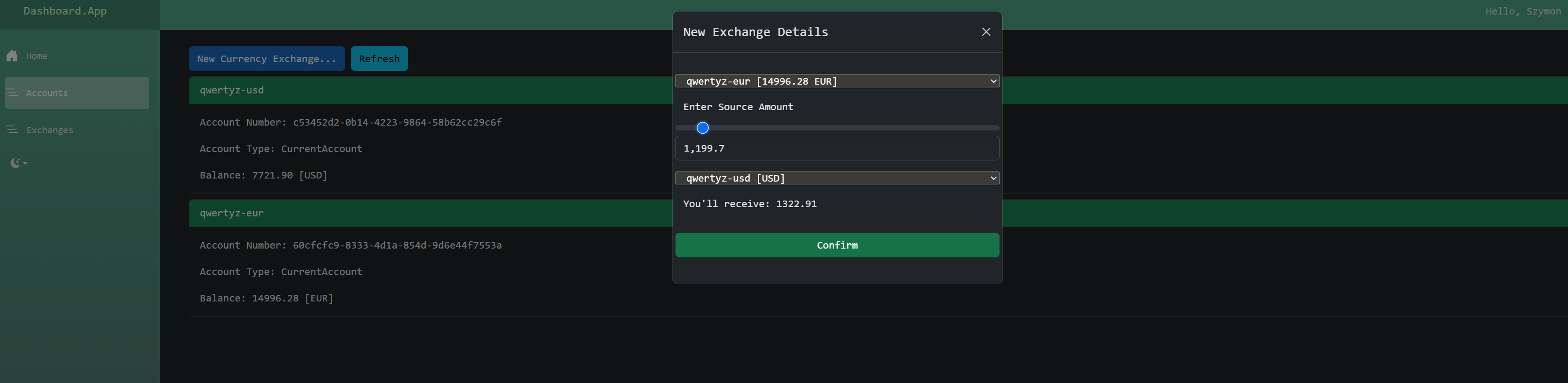
When the currency exchange is confirmed we can click “Refresh” button to get the updated account balances which should make it clear that the Dapr Workflow was successfully executed behind the scenes. We can also take a look at the traces in Application Insights:
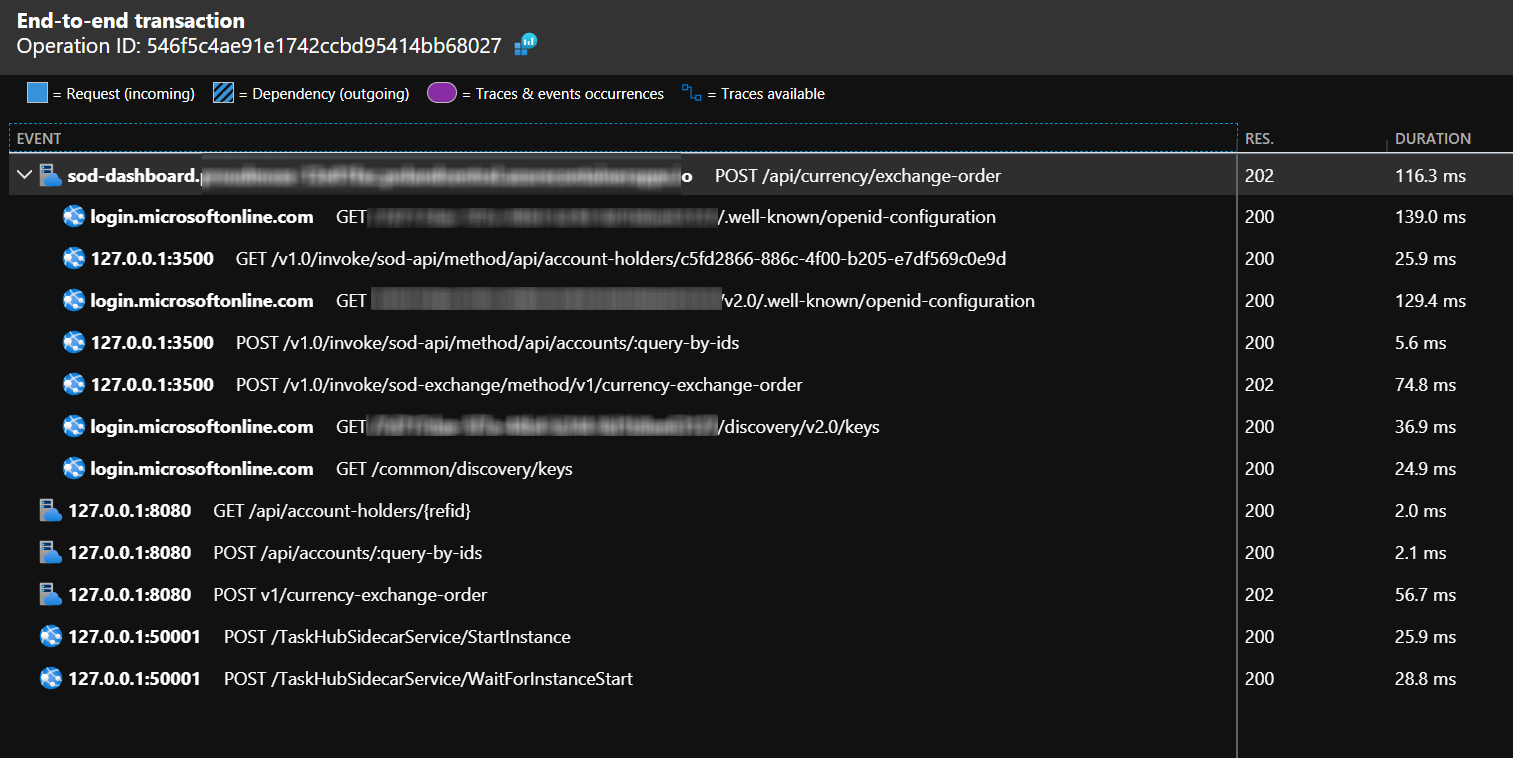
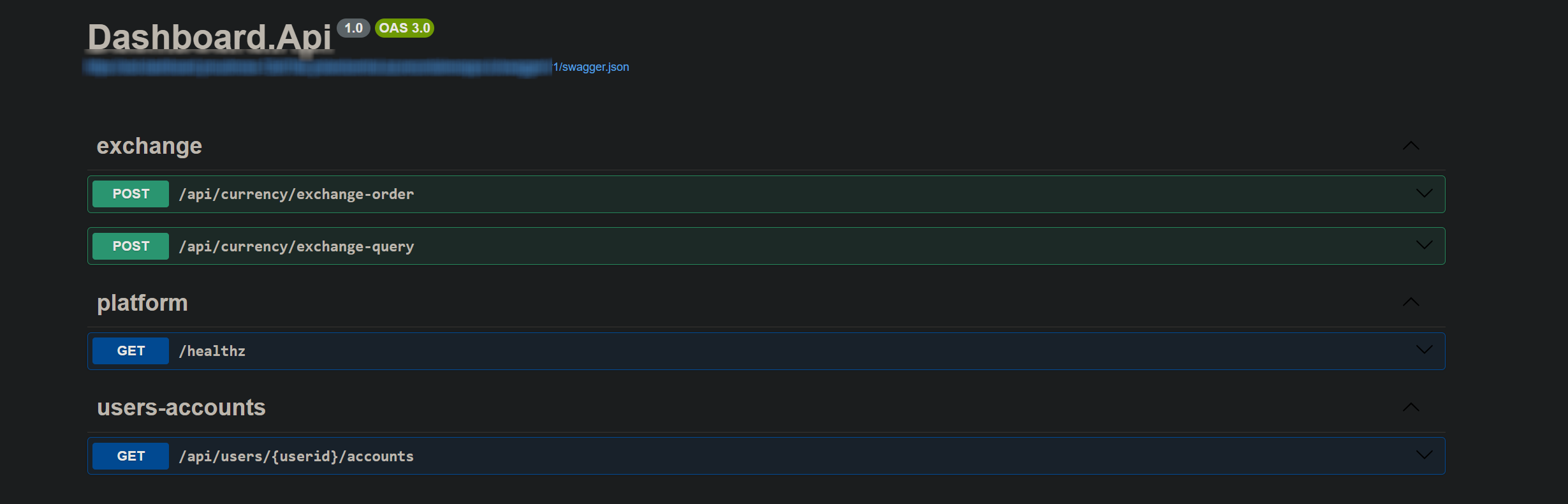
Notice how Dashboard.Api orchestrates several calls to CurrencyExchange and SavingsOnDapr.Api via Dapr sidecar port :3500 using the “service discovery” that comes with Dapr. From the frontend app standpoint, all that is exposed is just these 3 endpoints which is a useful advantage of Backend-For-Fronted pattern:
That’s all for now. Thanks for reading through. The code for this post can be found in my GitHub repos: