
Microservices with Dapr #8: Azure Container Apps
Let's see how our small distributed system built with Dapr can be deployed to Azure.

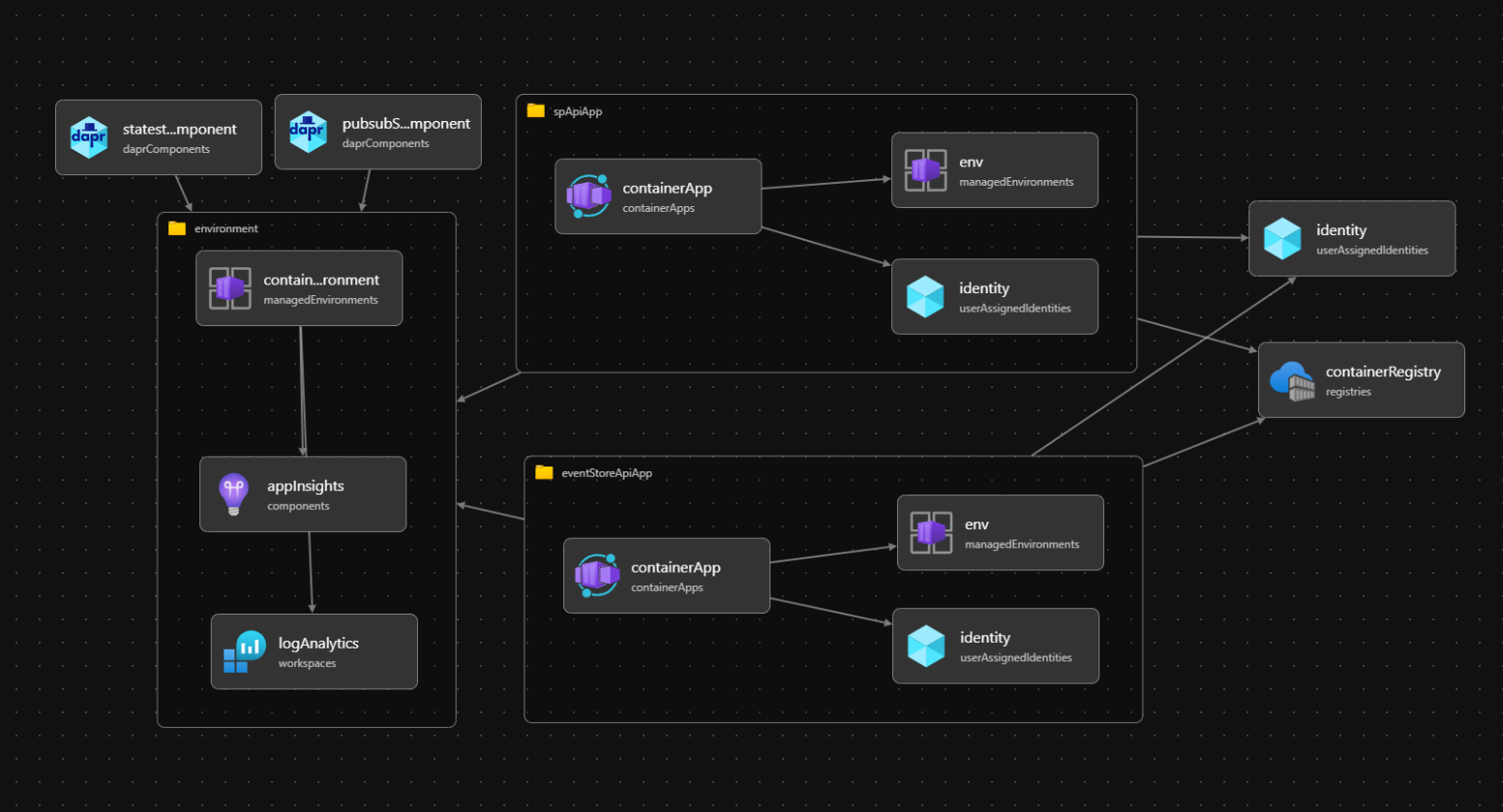
So far in this series, I’ve been gradually building SavingsOnDapr system that now consists of 3 main services: SavingsAccounts, EventStore, and CurrencyExchange. These services use following building blocks from Dapr runtime:
Service Invocations for direct API calls
Publish & Subscribe for events/commands exchange
Actors for managing deposit transfers
Workflows for managing currency exchange orders
Bindings for running tasks on schedule
All of these interactions have been built and run with Docker Compose integrated with Visual Studio for debugging. For initial phase of development it’s really all that’s needed - we are running our code in a local sandbox that is quite close to the actual app runtime environment. It will be cool, however, to try moving this game to the next level and deploy our system to cloud.
In this post I will show you how to do it with Azure Container Apps as there is a built-in support for Dapr (see more).
Building Infrastructure-as-Code with Bicep
The main challenge with moving our system to Azure is migrating from container definitions in docker-compose.yml to some script that would create all the necessary cloud resources in automated, repeatable way. To keep things more focused on Dapr, we are going to use resources placed in a separate resource-group that won’t be recreated each time new version of our system is deployed.
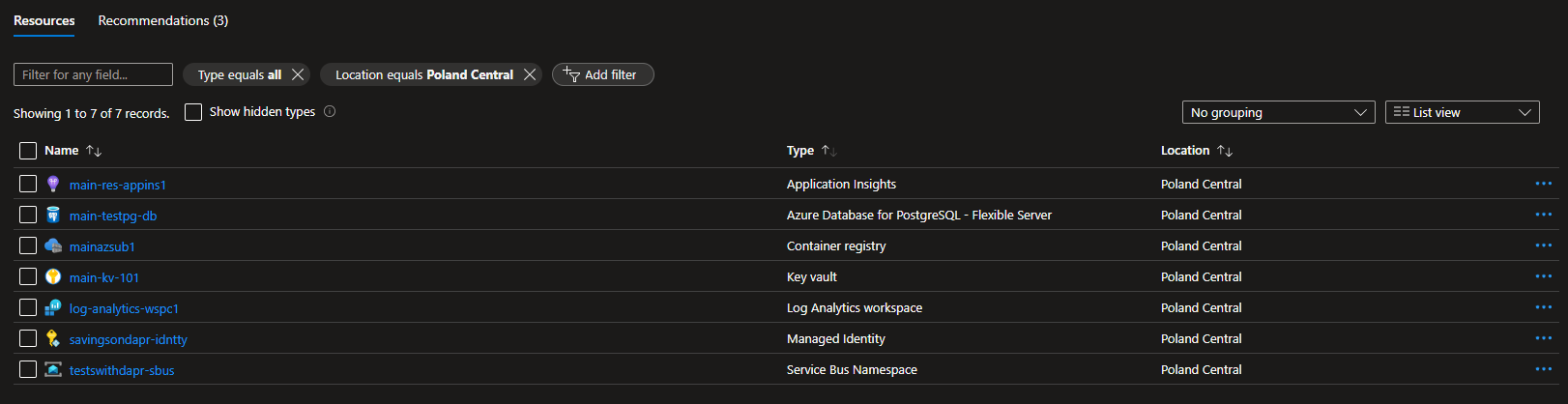
The most important ones are:
Database for PostgreSQL- state store component and document storeKey Vault- for secrets storageService Bus- for Dapr PubSub componentContainer Registry- for managing container images
Since we’re targeting Azure with our deployment, a pretty natural choice is to use Bicep. Here is how it’s advertised by Microsoft:
Bicep is a domain-specific language that uses declarative syntax to deploy Azure resources.
Bicep provides concise syntax, reliable type safety, and support for reusing code. Bicep offers a first-class authoring experience for your infrastructure-as-code solutions in Azure.
Provisioning cloud resources, especially via scripts that use lengthy JSON definitions with tons of params and dependencies can be a really daunting task (I think I’m describing ARM templates here ;) ). So let’s see how it can be done with Bicep…
First thing that we would like to run only once is to create User-assigned Identity and configure some role assignments for ACR and KeyVault:
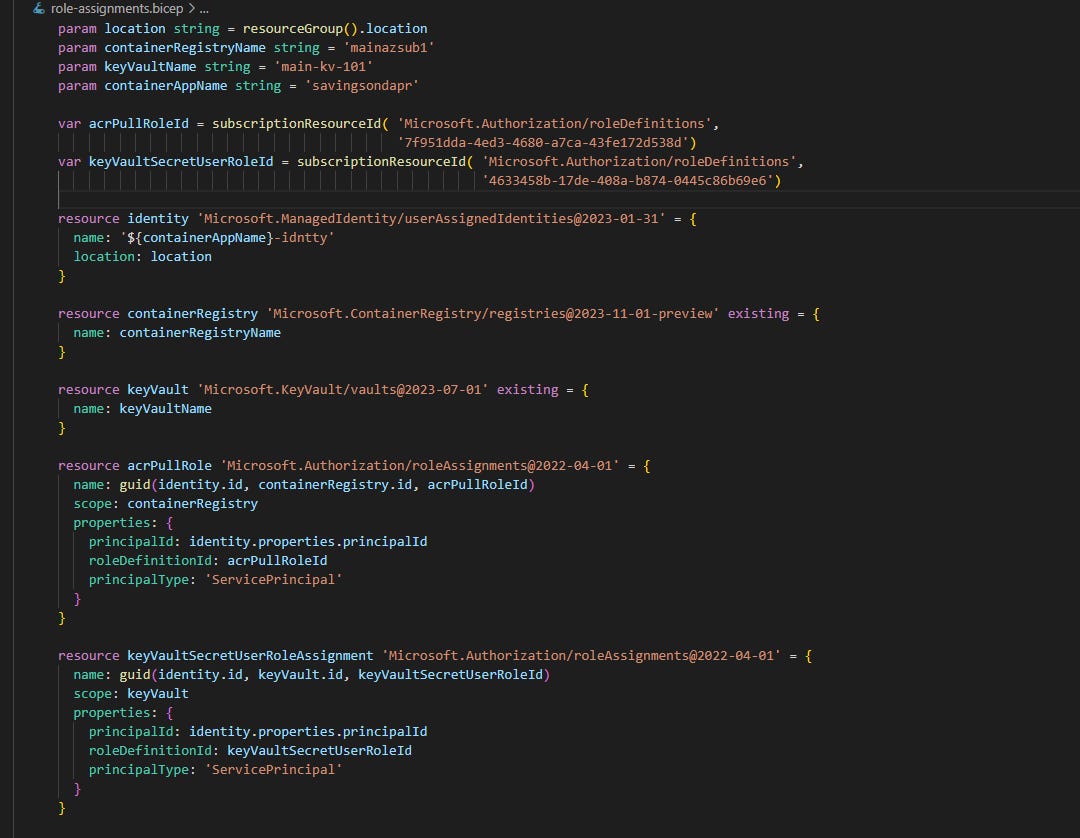
Starting with modules
Bicep makes it easy to reuse IaC code with modules. Even if we are not planning immediate reuse, it still makes sense to split code into separate files that can later be referenced from the main script. Here is a .bicep file for creating new Azure Container Apps environment configured with existing Application Insights instance:
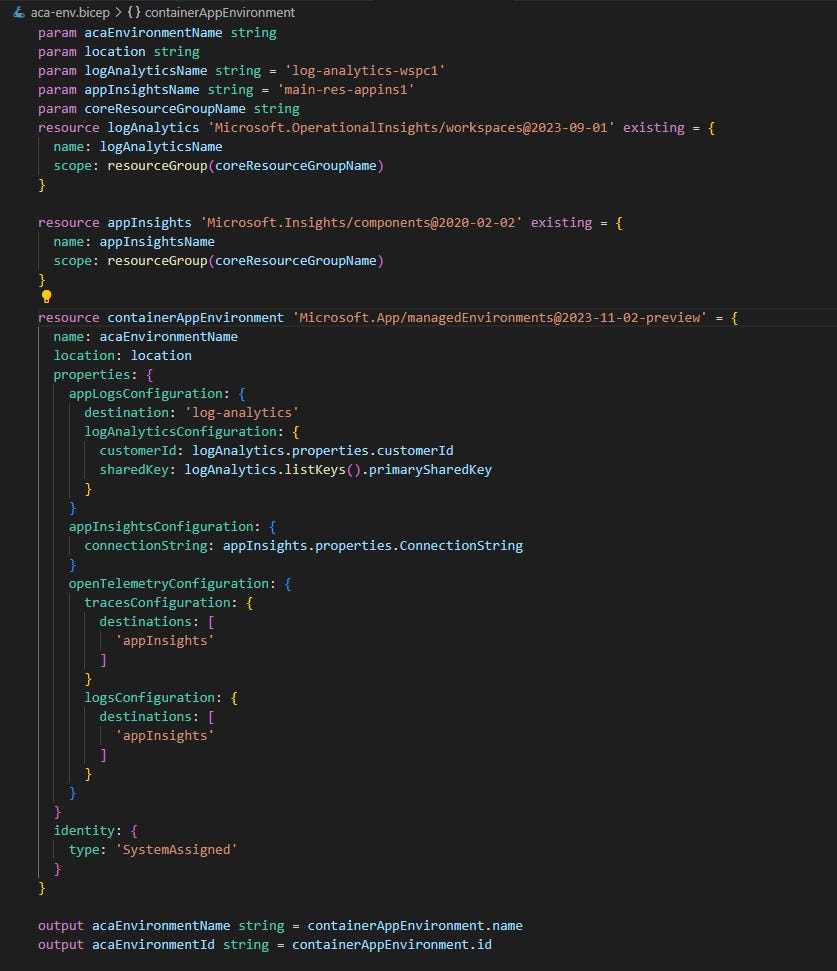
Notice that we create references to existing resources using scope constructed with another resource group name. When environment is created, our script outputs its name and id for use by other modules.
Another module (that is actually a reusable one in our example) is for creating Container App.

In this case the referenced resources are ACA environment created earlier and User-assigned Identity that is needed to access following resources: secrets from Azure KeyVault and container images from ACR. List of secrets and list of env vars are passed as external parameters as that’s something that varies between different apps. Not everything is parameterized for containerApps resource but the list of parameters is already quite long:
param containerAppName string
param location string
param environmentName string
param containerImage string
param targetPort int
param isExternalIngress bool
param enableIngress bool
param minReplicas int = 0
param maxReplicas int = 1
param envVarsList array = []
param secretsRefList array = []
param revisionMode string = 'Single'
param useProbes bool = true
param transport string = 'auto'
param identityName string
param containerRegistryServer string
param coreResGroupName string = 'main-resg'
Here is how this module is used in the main .bicep file:
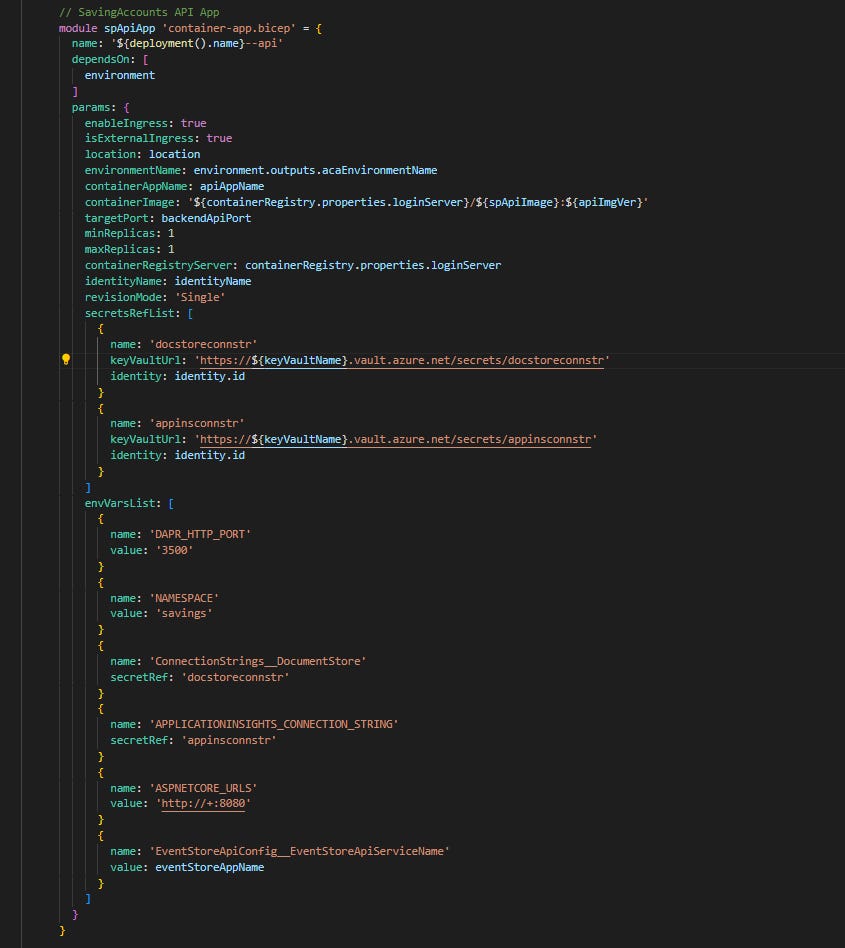
In the main file we also define two Dapr components required by SavingsOnDapr system:
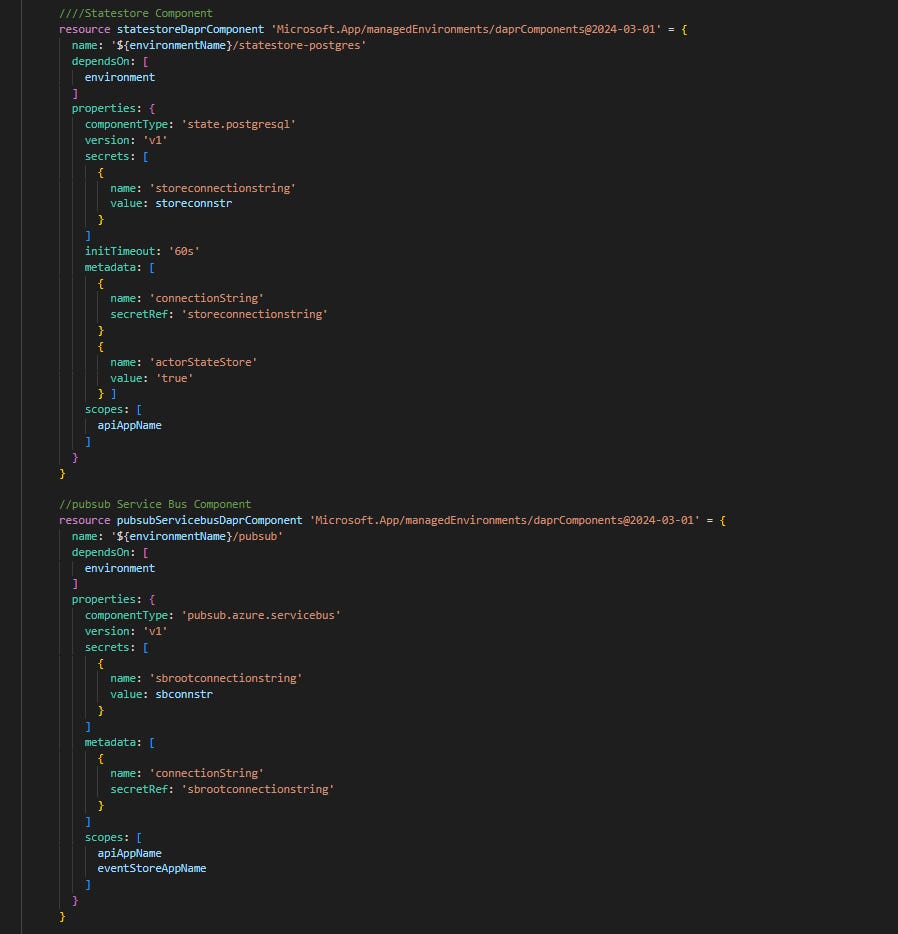
The visibility of each component is specified in scopes section. In our case statestore-postgres is going to be initialized only by savingsondapr.api Dapr sidecar, while PubSub is used by both SavingsAccounts and EventStore services.
One thing that could be surely improved is that connectionstrings for components are now provided as secure params set in a separate .bicepparam file:
main.bicep
----------
...
@secure()
param sbconnstr string

@secure()
param storeconnstr string
...

main.params.bicepparam
----------------------
using './main.bicep'

param storeconnstr = '***REDACTED***'
param sbconnstr = '***REDACTED***'
Deployment with Azure CLI
Deployment of our IaC code to an empty resource group would look something like that:
az group create --name acaenv-resg --location "Poland Central"

az deployment group create --name acaenv101 --resource-group acaenv-resg --template-file .\main.bicep --parameters .\main.params.bicepparam
After successful deployment to Azure, Dapr components can be found in Azure Portal on Container Apps environment page:
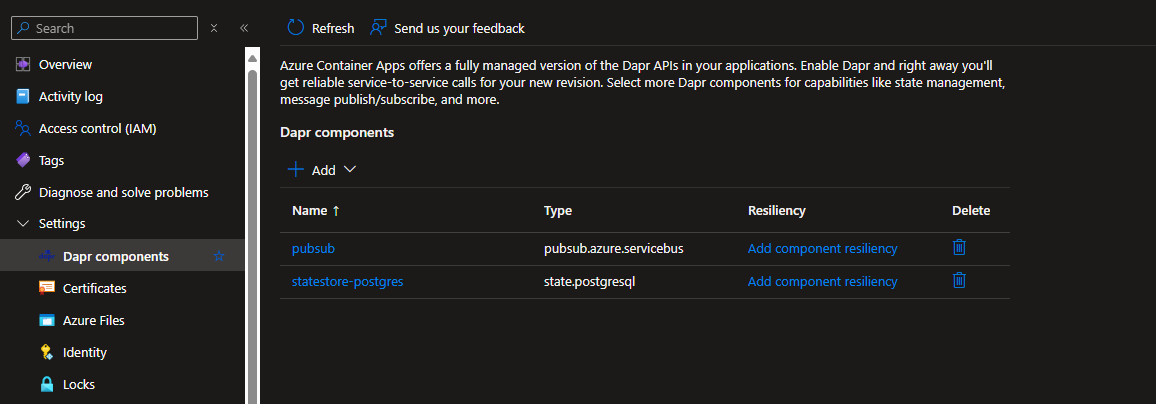
In the Apps section we should be able to see all of the containers created by Bicep script:
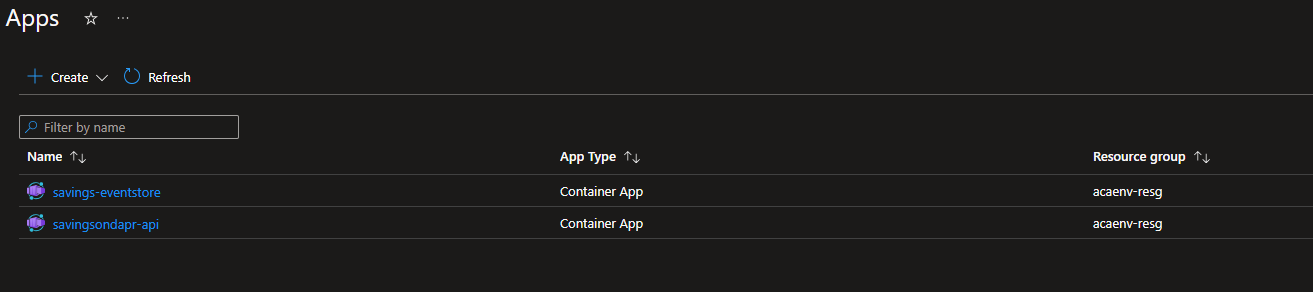
Enabling Dapr for container apps results in a separate container entry that can be found in Replica details screen of each app.
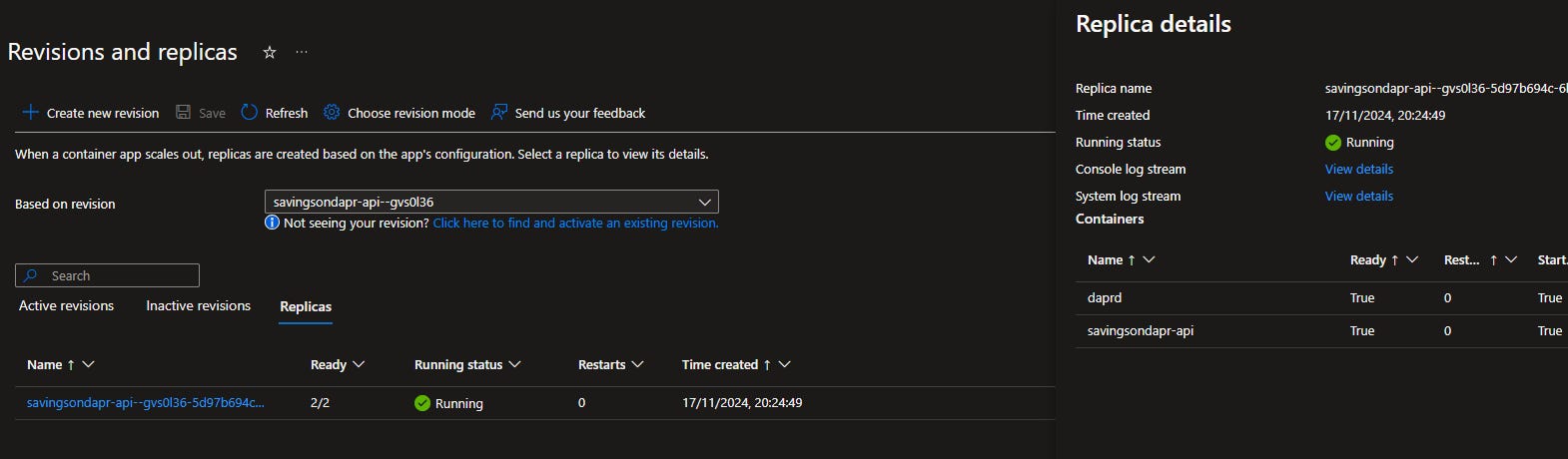
Daprd version can be checked in the log stream or on the ACA environment Overview page and at the time of writing it shows: v. 1.12.5 - which is behind the latest 1.14, but I don’t see any way of configuring it when environment is created.
I must admit that it’s quite disappointing as it means that some features introduced in Dapr over last 12 months can be still unavailable after deploying it to Azure Container Apps.

Anyway, let’s verify if our services work properly with the available version of Dapr sidecars. Both container apps were deployed with “external ingress” enabled so in Container App overview page we can find Application Url, adding /swagger/index.html to this path should show us the well known UI with endpoints.
The easiest way to verify if all pieces of the puzzle fit together after moving them to Azure, would be to:
create a simple account hierarchy (1 current account + 1 savings account),
add some initial funds to the current account with
/api/accounts/:creditcall /api/savings/savings-account/:credit to initiate deposit transfer actor that would move some funds from current to savings account
We could verify if the Dapr Actor was run properly by checking it in Application Insights Transaction search:
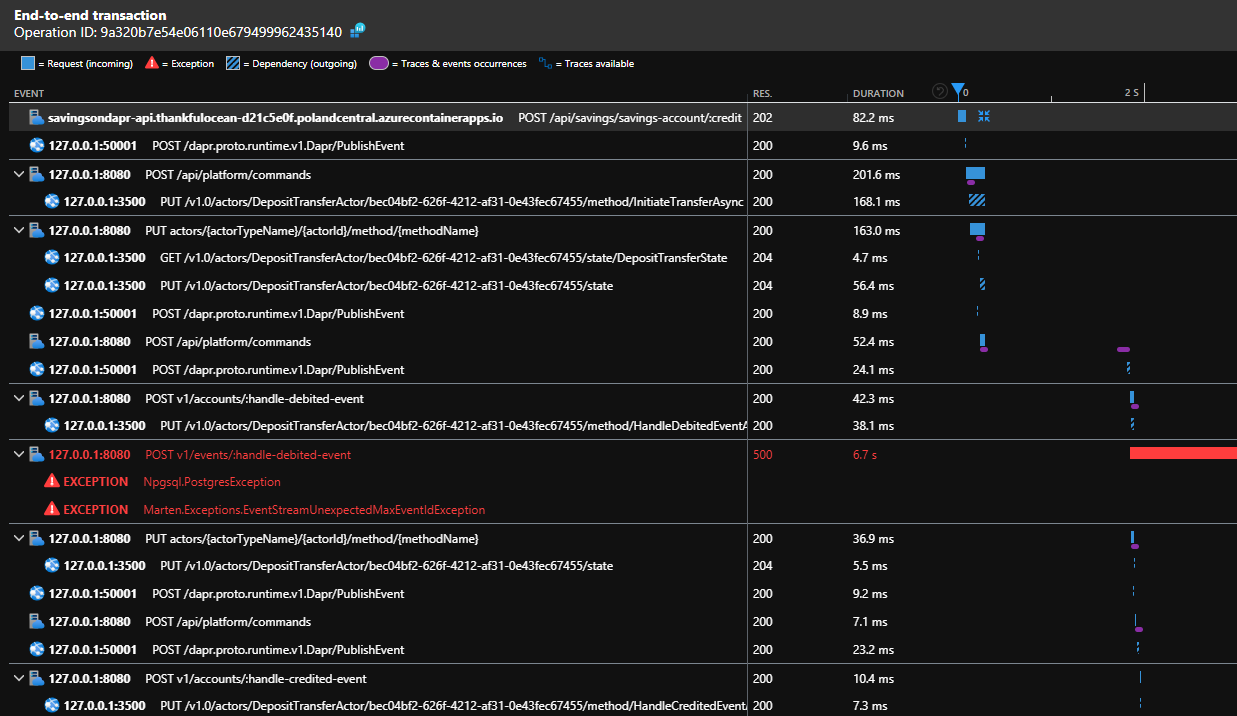
Traces from different services/components are automatically correlated and just by clicking on timeline from /api/savings/savings-account/:credit we can easily observe how it published initial command, created actor instance and published more events/commands along the way…
There is one outstanding error for v1/events/handle-debited-event logged from EventStore service which could be investigated, but I could also see that it was later retried and both events from this deposit transfer were added to the event stream as expected.
That is all for now, thanks for reading! The code for this post can be found here.